Jack Righteous Shop

Choose the resource that matches the work in front of you.

Review the product details, delivery terms and current checkout information before purchasing.

Purchase typeShown on this product page and at checkout.
Best forCreators who need this specific resource.
DeliveryConfirm the product description and checkout terms.
Skip to product information
1 of 2

Jack Righteous

AI Music Rights + Contribution Tracker – Free Song Log

AI Music Rights + Contribution Tracker – Free Song Log

Regular price $0.00 USD
Regular price Sale price $0.00 USD
Sale Sold out
Taxes included. Shipping calculated at checkout.
Quantity
Free multi-song tracker · Rights records · Contribution log

Stop Losing the Evidence Behind Your AI Songs

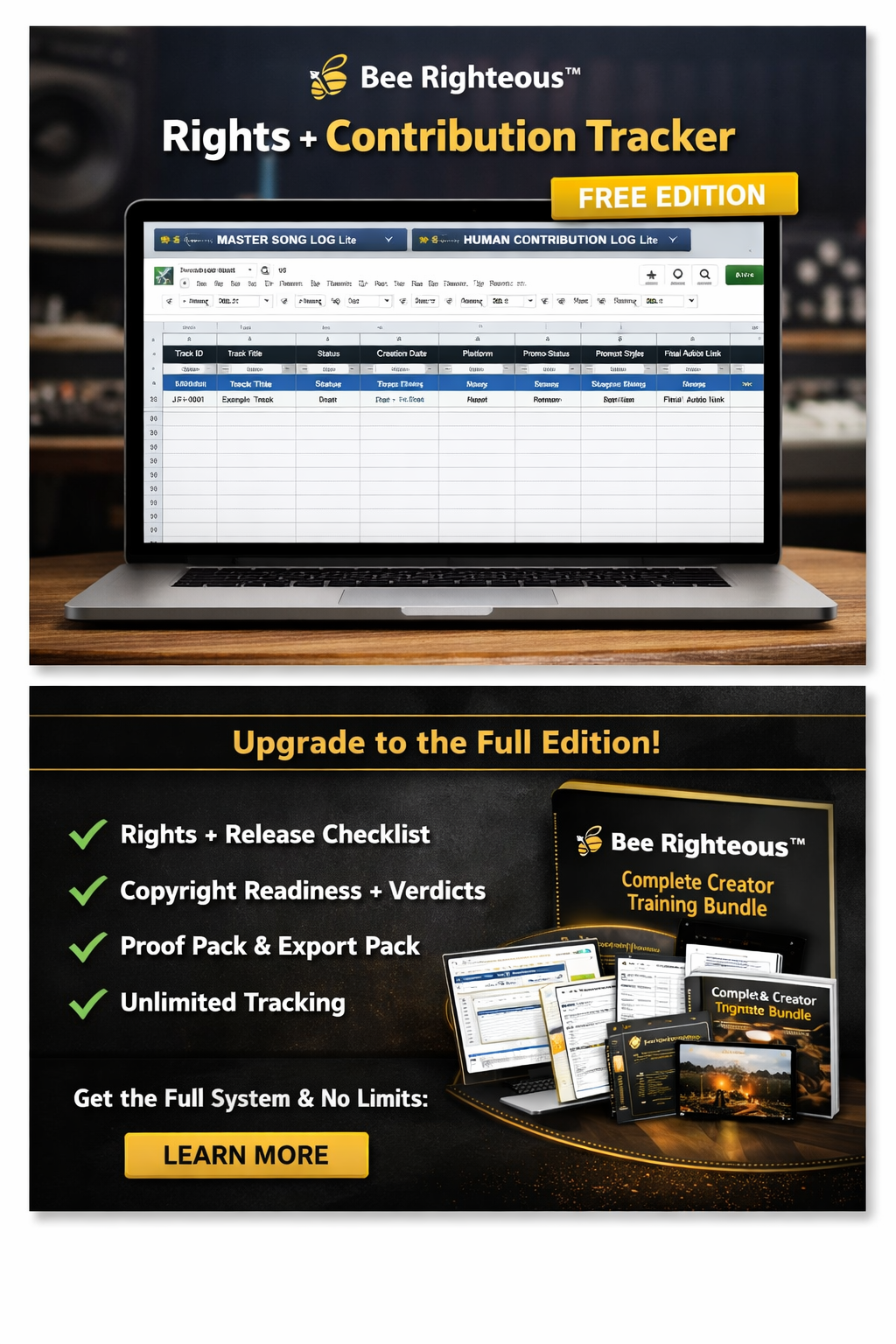
The AI Music Rights + Contribution Tracker is a free starter system for organizing several songs, recording important version links, summarizing your human contribution and marking which rights questions still need attention.

Use it to know what each song is, where the important files are, what you contributed and what still needs review before release.

What you receive

A Starter System for Several Songs

This free tracker is designed for high-level organization across multiple projects. It includes a Start Here guide, Starter Song Log, Human Contribution Log and Quick Start PDF.

PriceFree · $0 CAD
PurposeMulti-song record keeping
Core toolsSong log + contribution log
Best useRights and evidence organization

Digital product only. No physical item will be shipped.

Choose the right JR tool

Three Different Jobs, Three Different Resources

Human Contribution Record

Use for one song when you need a detailed record of prompts, drafts, edits, versions, exports and supporting evidence.

Rights + Contribution Tracker

Use for several songs when you need a high-level index of versions, evidence links, contribution summaries and rights status.

Create + Release Tracker

Use when you need broader prompt management, release readiness, promotion planning and post-release tracking.

What you can organize

Keep the Essential Record for Every Song

Song Log

  • Artist or project
  • Song title
  • AI platform
  • Selected version
  • Generation link
  • Release status

Contribution Summary

  • Lyrics written
  • Prompt direction
  • Structural changes
  • Audio edits
  • Selection notes
  • Evidence-folder link

Rights Review

  • Source material
  • Cover or adaptation
  • Samples
  • Voice or likeness
  • Collaborator permission
  • Open questions
The tracker records the status of your review. Checking a box does not create permission, ownership or legal clearance.
Rights status

Use Clear Status Labels Instead of Guessing

Rights questions often need more context than a simple yes or no. Use status labels that show where the review actually stands.

Not reviewedReview startedInformation missingPermission requiredPermission obtainedClear for intended useHoldDo not release

“Clear for intended use” means you completed your own review for a defined purpose. It is not a legal certification or guarantee.

Keep the tracker brief

Link to the Evidence Instead of Rewriting It

What belongs in the tracker

  • One- or two-sentence contribution summary
  • Selected version link
  • Private evidence-folder link
  • Collaborator names and status
  • Open rights question

What belongs in the detailed record

Use the Human Contribution Record Checklist when you need the full history of one track: lyrics, prompts, rejected versions, edits, exports and supporting files.

Open the Free Checklist
Evidence links

Connect Every Song to Its Supporting Records

  • Project folder
  • Final lyrics
  • Prompt record
  • Selected generation
  • Earlier version
  • Detailed contribution record
  • Collaborator agreement
  • Permission record
  • Final master
  • Artwork and metadata
  • Distributor submission
  • Public release page
Use private folder permissions. Do not expose unreleased songs, private prompts, collaborator details or rights records through public links.
Release status

Track Progress Without Turning This Into a Full Campaign Planner

The free tracker should tell you where a song stands. It does not replace a full release checklist or promotion system.

  • Idea
  • Generating
  • Selected
  • Refining
  • Validated
  • Rights review
  • Packaging
  • Submitted
  • Scheduled
  • Released
  • On hold
  • Archived
Simple workflow

Use the Tracker in Six Steps

  1. Add each active song to the Song Log.
  2. Record the selected version and important links.
  3. Summarize your human contribution.
  4. Link the detailed one-song evidence record.
  5. Mark rights questions and permissions.
  6. Update the status whenever the project changes stage.

What the tracker may help with

  • Finding important project links
  • Comparing song status
  • Tracking unresolved permissions
  • Crediting collaborators
  • Preparing release questions

What it does not prove

  • Copyright or ownership
  • Commercial-use permission
  • Sample or cover clearance
  • Distributor acceptance
  • Content ID eligibility
  • Release readiness
The tracker organizes information and unanswered questions. It does not answer those questions for you.
Collaborators

Record Roles Before Release Problems Appear

  • Name and contact details
  • Role and contribution
  • Song and date
  • Agreed credit
  • Payment status
  • Ownership or split discussion
  • Permission status
  • Agreement link
  • Open question
  • Supporting messages

A contribution tracker should make every participant more visible—not make it easier for one person to claim the entire project.

Personal learning licence

What May You Do With the Tracker?

You may

  • Use it for your own music projects.
  • Make personal working copies.
  • Store private project information.
  • Use it repeatedly.
  • Discuss the system with collaborators.
  • Share the official product-page link.

You may not

  • Resell or redistribute the files.
  • Rebrand the tracker.
  • Remove JR branding.
  • Sell completed templates.
  • Add it to a paid course or membership.
  • Upload it to another resource library.

Privacy: Completed trackers may contain unpublished links, prompts, collaborator information and release plans. Store them securely.

Need a broader release system?

Move to the Full Create + Release Tracker

The paid Create + Release Tracker is the next step when you need a fuller operational system for prompts, versions, release readiness, promotion planning and post-release records.

Continue through JR

Related Creator Resources

Frequently asked questions

Rights + Contribution Tracker FAQ

Is the tracker free?

Yes. The product price is $0 CAD.

Is it for one song or several?

It is intended for organizing several songs. Use the Human Contribution Record for detailed documentation of one track.

Does it prove copyright ownership?

No. It records information and review status but does not independently establish copyright, ownership or permission.

Can it track collaborators?

Yes. Use it to record roles, credits, permission status, agreement links and unresolved questions.

Can I use it with Suno and other tools?

Yes. It can support Suno, other AI music tools, BandLab, DAWs and hybrid production workflows.

When should I update it?

Update it whenever a song changes version, contribution, rights status, release stage or final-file location.

Is this legal advice?

No. It is an educational organization tool.

Digital delivery and support

How the Free Tracker Is Delivered

Complete the free checkout using an email address you can access. Follow the download instructions shown after checkout or provided through the delivery email, then save a backup copy.

If the files are missing, damaged or materially different from the description, contact info@jackrighteous.com with your checkout email and product name.

Create what you love · Love what you create

Organize the Record Behind Every Song

Keep your songs, versions, contribution summaries, evidence links, collaborators, rights questions and release status in one starter system.

View full details