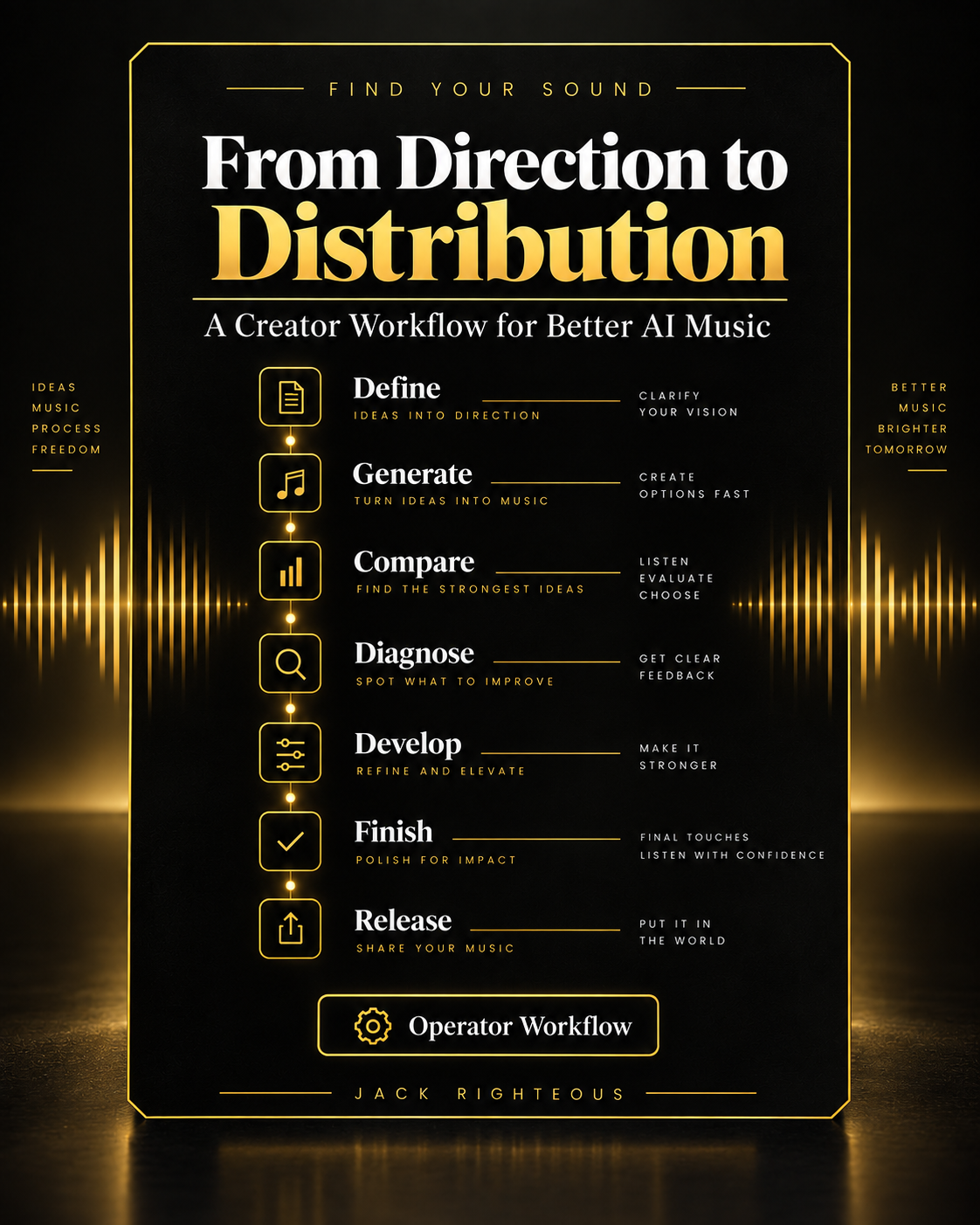
Find Your Sound · CP1 · Operator Manual + TP1 FINDStop generating blindly. Build a repeatable way to decide what comes next.
Find Your Sound — AI Music Operator Manual V6 + Song Decision Guide is a practical creator system for people who already have AI-music outputs and want to make stronger decisions about what to keep, what to fix, what to rebuild, and what is ready to move forward.
This is not a prompt list. It combines practical working documents with the online CP1 · TP1 FIND DEVELOP training path so you can turn one project into a sound direction you can explain, test and reuse.
C$5 · One-time purchase · PDFs + TP1 online training
Already purchased an earlier edition? Do not buy this product again. Your existing purchase remains your access route to the current eligible Operator Manual edition and included TP1 FIND training.
What you getOne purchase. Working documents and the paid path behind the decisions.
1
53-Page AI Music Operator Manual V6
A fillable working manual built around a complete creator lifecycle from DEFINE through IMPROVE. Use it when you need the full process, records, checkpoints and routing decisions.
2
5-Page Song Decision Guide
A fast APPLY tool for one exact song/version. Use it to decide whether to KEEP IT, FIX IT, or START AGAIN before spending more credits or time.
3
Read Me First
A simple orientation file that explains which document to open first, how the resources work together, and where to continue online.
Included online training · CP1 · TP1FIND DEVELOP is part of this purchase.
The PDFs help you make and record decisions. The gated FIND DEVELOP Member Dashboard is where you work the structured ten-step paid path and finish with Sound Identity v1 + a FIND Completion Record.
You do not need to buy FIND again. If you purchased this Operator Manual product, TP1 FIND is your included online training path.
Start hereOne clear objective: make the next decision on purpose.
If you already have a song, begin with the 5-page guide. Identify the exact version, define what the song is supposed to do, protect the strongest traits, diagnose the real problem if one exists, and choose one next move.
KEEP IT
The version already contains enough value to protect and move forward.
FIX IT
The core is worth keeping, but one identifiable problem needs a controlled intervention.
START AGAIN
The direction or version is not strong enough to justify more repair work.
Your sound is not the first output. Your sound is what survives your decisions.
The full operator lifecycleFrom direction to delivery — with evidence at every stage.
DEFINE → REFERENCE → GENERATE → COMPARE → DIAGNOSE → DEVELOP → PRODUCE → FINISH → DOCUMENT → PREPARE → DISTRIBUTE → VERIFY → IMPROVE
Each stage has a specific job. The manual helps you decide what evidence matters, what should be recorded, what must be protected, and whether the project should move forward, hold, or return to an earlier stage.
What the manual helps you do
Direct the work
- define the creative job before generating;
- separate inspiration from requirements;
- use references intentionally;
- protect the musical traits worth keeping.
Judge candidates
- compare versions instead of reacting to novelty;
- evaluate groove, hook, structure, phrasing and production viability;
- record why one version wins;
- avoid letting a score replace listening.
Fix the right problem
- diagnose before editing;
- make the smallest justified change;
- define success and rollback evidence first;
- compare the result against the protected source.
Carry the project forward
- track exact versions and approved assets;
- document material creator contribution and source status;
- prepare the correct release route;
- verify delivery before using results as evidence.
Suno V6 implementationChoose the model behavior that fits the job.
The manual does not teach a simple quality ladder of v6-mini < v6 < v6-wild. They are different operating choices, and any one of them can produce the strongest candidate.
v6-mini
Fast, efficient proof and iteration when speed and accessible testing matter.
v6
Controlled execution when the creative direction is relatively clear and precision matters.
v6-wild
Deliberate divergence when the creative job benefits from broader exploration and unexpected options.
Suno is an implementation environment inside the method—not the owner of the method. Platform features, pricing, limits and terms can change.
Protect good workA keeper does not become disposable because a newer model exists.
If you have a strong V5.5 song, an older keeper, or your own authorized external audio, the manual helps you identify what must survive before you touch it. Record the protected value, intended fix, success evidence and rejection evidence first.
Preserve first. Change second. A newer generation only wins if the evidence says it serves the song better.
Operator recordsBuild a project record you can actually use later.
- Song Intent Card / Project Brief
- Reference Analysis & Production Brief
- Prompt Control + Controlled Generation Record
- Candidate Selection Record
- Build Diagnosis Record
- Bounded Revision Record
- Production Control Record
- Mix & Finish Control Record
- Package / Handoff Record
- Creator Project Record + Evidence Index
- Release Readiness Record
- Distribution Execution Record
- Delivery Verification Record
- Creator Evidence & Improvement Record
Best fit
This is for you if
- you keep generating because you cannot tell what failed;
- you have good versions but keep breaking them during revision;
- you have too many outputs and no decision record;
- you want one repeatable process across projects;
- you want stronger continuity from creation through release.
This is not designed to promise
- a magic prompt;
- a guaranteed professional result;
- a guaranteed hit or income;
- automatic copyright eligibility;
- legal clearance or guaranteed platform acceptance.
Buyer update promiseBuy this Operator Manual once. Keep the current eligible edition.
Material revisions and revised editions of this AI Music Operator Manual product are included for existing purchasers at no additional charge. The V6 package replaces the previous V5.5 edition inside this existing product rather than asking previous buyers to purchase the same workbook again.
The included CP1 · TP1 FIND training is part of this offer. Separate future products, memberships and other paid training paths are not automatically included unless an offer explicitly says otherwise.
Your working orderPDF first when you need a decision. TP1 when you need to build the sound behind it.
Use the 5-page Song Decision Guide for the immediate version in front of you. Use the Operator Manual for the larger project record. Then use the included TP1 FIND dashboard to turn those decisions into a reusable Sound Identity.
C$5 · 53-page manual + 5-page guide + README + TP1 FIND
While you work TP1Use support for the blocker. Return to FIND for the record.
Need an explanation?
Use the free Find Your Sound hub for direction, genre, production and tool support, then return to the paid step you were working.
Open free Find Your Sound →
Need current Suno implementation?
Use the Suno support library for current model, edit, upload, slider and export implementation.
Open Suno implementation →
Finished TP1?
Complete Sound Identity v1 and your FIND Completion Record first. Follow the blocker it identifies. Do not buy another path simply because it exists.
Return to TP1 dashboard →
Access problem?
If you bought this product and the FIND dashboard is not opening, use Member Access Help rather than buying anything again.
Open Member Access Help →
Important boundaryCreative operating system, not legal clearance.
The package includes documentation and rights-awareness practices, but it is not legal advice. Confirm current platform terms, commercial-use requirements, distributor rules and any source permissions that apply to your project before publishing, monetizing or distributing work.