SUNO V6 • ALBUMS • PRACTICAL WORKBOOK
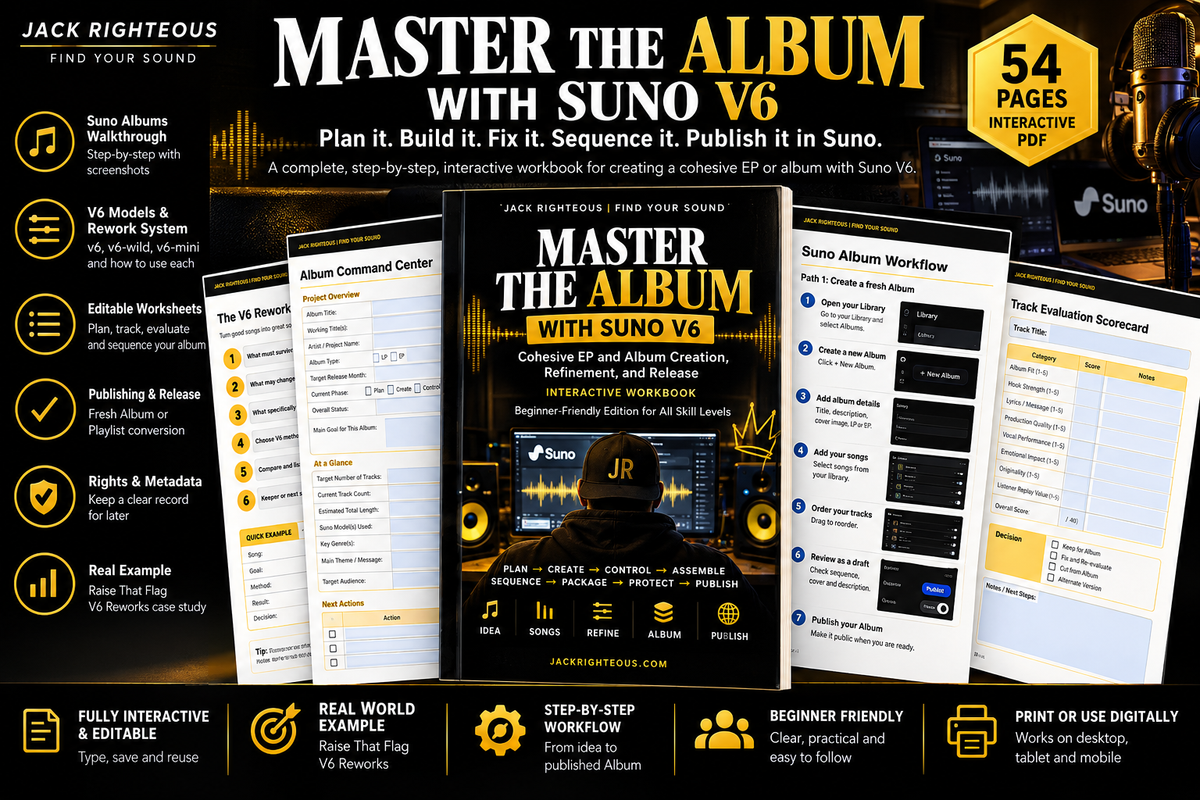
Master the Album with Suno V6
Plan it. Build it. Fix it. Sequence it. Publish it in Suno.
This is the practical implementation workbook for creators who have songs but need a real project. The V6 edition adds Suno's new Albums workflow, V6 model decisions, V6 reworks, Studio 2.0, publishing checks, and a live Jack Righteous album case study.
What problem does it solve?
Suno can make songs quickly. The harder part is deciding what belongs together, what needs fixing, what should be cut, how to sequence the listener journey, what to document, and when the project is actually ready to publish.
This workbook turns that messy middle into a repeatable system.
New in the V6 edition
-
Fresh Album vs Playlist conversion: choose the right Suno starting path.
-
LP vs EP guidance: use Suno's labels without forcing outdated rules.
-
V6 model matrix: when to use v6, v6-wild, v6-mini, or a Custom Model.
-
V6 Rework workflow: preserve what matters while rebuilding older songs.
-
Studio 2.0: updated guidance for MIDI, effects, synths, automation, and the Chat Bar.
-
Actual Suno Albums workflow: create, add songs, reorder, share a draft, publish, and manage artwork.
-
Raise That Flag case study: see how an initial seven-song idea became an 8-track, 30:23 LP.
-
Album Build Dashboard: track role, duration, model, V6 method, keeper status, rights, and Album status in one place.
-
Final Publish Audit: check the music, cover, sequence, description, public status, rights, and release path before you go live.
What you get
54-page interactive V6 workbook
Beginner-friendly, but structured enough for serious album projects. Includes fillable fields, checkboxes, clickable navigation, worksheets, decision tools, and reusable project pages.
Album planning system
Album promise, audience, emotional arc, sound bible, track roles, output plan, and rights plan.
Creation + Control decisions
Generate, retry, revise, replace, extend, edit, use Studio, or stop.
Interactive + printable worksheets
Album plan, track brief, prompt builder, V6 rework sheet, evaluation scorecard, iteration log, sequence map, rights checklist, final publish audit, and project dashboards you can fill, save, print, and reuse.
Built to use while you work
The finished PDF includes clickable section navigation, a clickable table of contents, editable form fields, checkboxes, and reusable project worksheets so you can move through the album process without hunting through the document.
The key distinction
The free Jack Righteous album guide explains what a cohesive album requires.
This download tells you what to do next, what to fill in, what to click, what to evaluate, and when to stop.
Use it beside Suno while you build.
Create the Album shell. Build or rework tracks. Add only keepers. Test the sequence. Design the cover. Complete the publish audit. Then release.
Live support links inside the workbook
Fast-changing details are linked to living resources instead of being frozen into the PDF, including the current Suno V6 tracker, Suno Albums help, album-cover guidance, rights guidance, organization/versioning, and the live Raise That Flag — V6 Reworks case study.
Read the free cohesive-album guide →
See the live Raise That Flag case study →
Who this is for
- First-time Suno creators ready to move beyond one song.
- Creators with scattered songs who need cohesion and sequence.
- People rebuilding older material with V6.
- Intermediate creators who want to stop wasting generations.
- Educators and guided learners who need clear, plain-language workflow boundaries.
Important: This is educational training, not legal advice. Suno features, plan access, rights language, distributor rules, and export options can change. Verify current platform terms before release or monetization.
Create What You Love | Love What You Create.