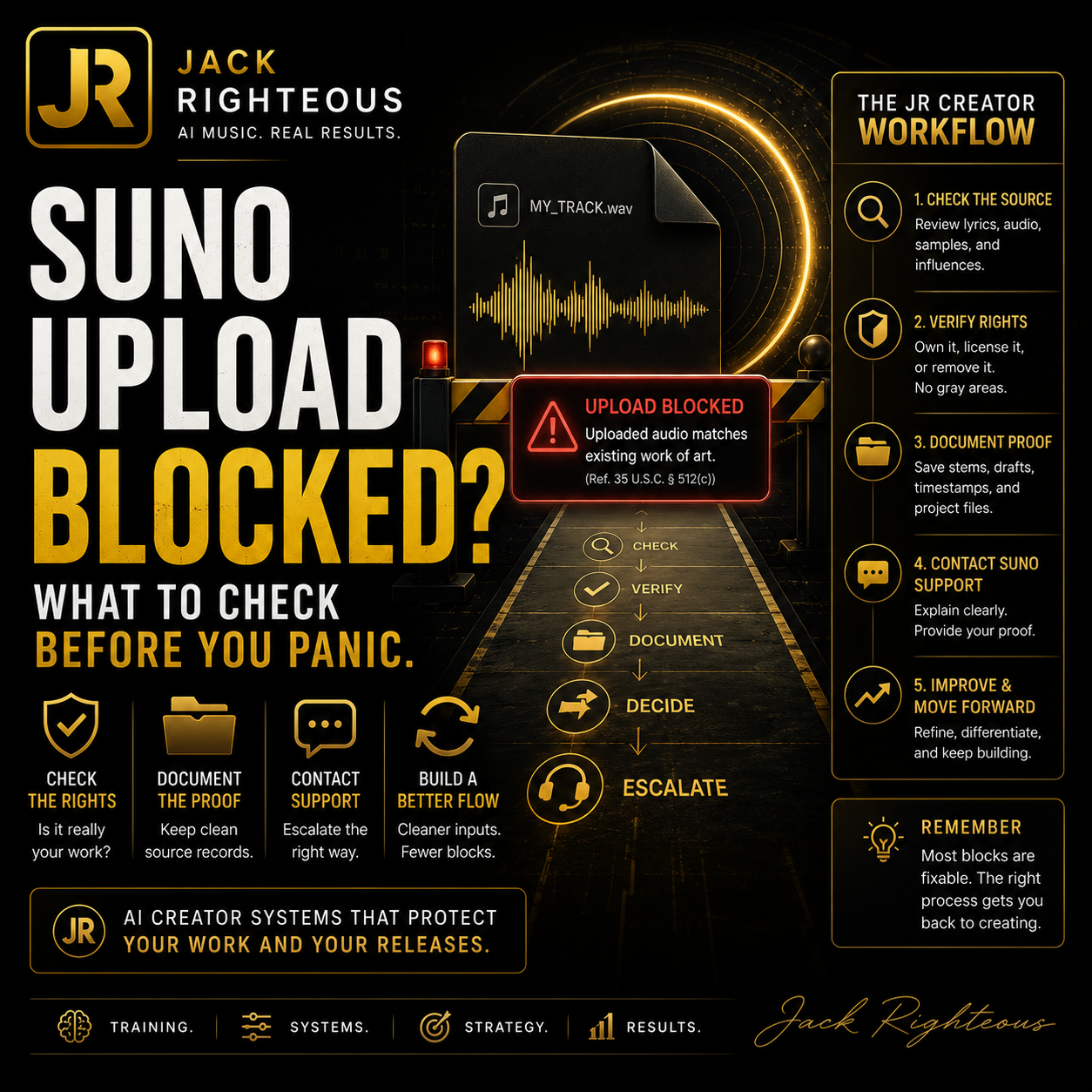
Promotional graphic for Jack Righteous AI with text and icons on a dark background

Suno Uploaded Audio Matches Existing Work of Art: What To Do

Gary Whittaker

Suno Troubleshooting

Promotional graphic for Jack Righteous AI with text and icons on a dark backgroundSuno Says Uploaded Audio Matches an Existing Work of Art — What It Means and What To Do

If Suno blocks your uploaded audio with the message “Uploaded audio matches existing work of art,” do not assume you did something wrong. This June 12 update explains what the warning may mean, why original audio can still be flagged, what June user feedback suggests, and what to check before contacting Suno Support.

AI Music Workflow Uploaded Audio Creator Rights Check Suno Troubleshooting
Updated June 12, 2026

June 12 field update: no official universal fix confirmed

Current read: June user feedback suggests this warning has become a major pain point for some Suno creators, including people uploading original keyboard recordings, rough demos, self-made music beds, GarageBand-style exports, and previously created works they believe they own or control.

Important: I have not found an official Suno help article that gives a universal fix, whitelist process, or guaranteed self-service appeal for this exact warning. Community workarounds exist, but they are inconsistent and should not be presented as official solutions.

  • Officially confirmed: Suno still documents Audio Upload as a creation/reference workflow. Basic users can upload up to 60 seconds; Pro and Premier users can upload up to 8 minutes.
  • Officially confirmed: Suno’s Terms require users to upload only submissions they have the rights, licenses, consents, permissions, power, and authority to use.
  • Community observed: June reports describe apparent false positives, including original creator audio being blocked as matching an existing work.
  • Limitation: No reliable public fix has been confirmed. The safest path is still to document the file, check for legitimate risk, test a short clean excerpt only when appropriate, and contact Suno Support if the file is yours.
Previous update — May 25, 2026

What changed in the May 25 revision

This update keeps the original guidance intact, but fixes the page layout so the article no longer gets squeezed by a static side rail. The fast-diagnosis notes now appear as full-width support cards instead of a narrow sticky sidebar.

  • Formatting fixed: the main article now uses a wider single-column reading layout for desktop and mobile.
  • Current Suno context added: official Suno help still supports Audio Upload as a reference workflow, with free users able to upload shorter clips and Pro/Premier users able to upload longer audio.
  • Rights language strengthened: Suno’s Terms require users to have the rights, licenses, consents, and permissions needed for uploaded submissions.
  • Legal-risk language clarified: this remains practical creator guidance, not legal advice. For a serious dispute or commercial release, get qualified legal help.
Best next step

Do not panic. Build a cleaner rights-aware workflow.

If this warning appeared while you were trying to upload audio, the safest first move is to diagnose the file, document what happened, and avoid trying to bypass the warning. As of the June 12 update, no official universal fix has been confirmed, so your strongest practical move is a cleaner rights-aware workflow plus a clear support request when the audio is truly yours.

Quick answer

If you are trying to upload your own audio into Suno and you see this warning, the issue is probably happening before the music-generation step.

Uploaded audio matches existing work of art. Please upload a different audio file.

In plain language, Suno’s upload system may be detecting that your file matches, resembles, or contains audio connected to an existing work. That can include a previously released song, a fingerprinted recording, a sample, a loop, a cover element, or a false positive.

It is not a prompt problem

A better prompt usually will not fix this because the file is being blocked before Suno uses it as a reference.

It is not proof of wrongdoing

The warning does not automatically mean your song was stolen, copied, or unusable.

It needs a rights check

The best next move is to check the source audio, document the issue, and contact Suno Support if needed.

No public fix confirmed

June feedback points to false positives for some users, but there is no confirmed universal user-side fix or whitelist process.

The safest response is not to keep forcing the same file through. First, check whether the audio contains anything that could trigger a rights or similarity warning. If the file is truly yours and you believe the block is wrong, gather proof and contact Suno Support directly.

June 2026 user feedback: what appears to be happening

June feedback from Suno users suggests this warning is not limited to people uploading obvious copyrighted songs. Some creators report being blocked when uploading audio they describe as their own original work, including keyboard performances, original demos, self-made instrumentals, and exported projects.

Confirmed vs observed

Confirmed: Suno supports uploaded audio as a way to bring a recorded idea, demo, or audio moment into the creation workflow.

Confirmed: Suno requires users to have the rights needed for anything they upload.

Observed: June user reports describe false-positive behavior where original creator audio is blocked as matching existing work.

Not confirmed: A guaranteed fix, official whitelist, or universal self-service verification path for this exact warning.

The practical June read

The most accurate way to describe the issue is this: Suno’s upload/content-identification system may be over-blocking some legitimate creator files, but the platform still needs rights checks because uploaded audio can influence new generations.

That means creators should avoid two extremes. Do not assume every blocked file is unsafe. Also do not assume every blocked file is safe just because the creator says it is original. The clean path is to inspect the source audio, document ownership, remove legitimate risk, and use Suno Support when the file appears incorrectly flagged.

Do not present workarounds as official fixes

Some users discuss splitting files, shortening files, re-exporting files, or testing small sections. These may help isolate the problem in some cases, but they are not official universal solutions. This guide only recommends a short clean excerpt when the goal is to remove unnecessary risk, not to hide a match.

What I can and cannot help with

Creator consultant position

I am Gary Whittaker / Jack Righteous, not Suno Support.

I cannot access your Suno account, remove a warning, reverse an upload block, or review your private upload history inside Suno.

What I can do is help you understand the likely workflow issue, check your own file more carefully, and prepare a clearer support message if you believe your original audio was flagged by mistake.

Who this guide is for

This guide is for creators who are trying to upload audio into Suno and do not understand why their own file is being blocked.

  • Independent musicians uploading original songs or demos.
  • Suno users uploading a voice memo, beat, hook, riff, or reference track.
  • Producers uploading unfinished instrumentals or stems.
  • Songwriters testing melodies, choruses, or rough recordings.
  • Creators who already released a song and now want to use it as a reference.
  • Beginners who are confused because they made the audio themselves.

The key point is simple: original audio is not always treated as safe by an automated upload system. If the file has been released, fingerprinted, sampled, reused, or built from recognizable source material, it can still be flagged.

What Suno may be checking before it accepts uploaded audio

When you upload audio as a reference, Suno is not only checking whether the file plays correctly. It may also be checking whether the audio appears connected to protected material, previously released music, recognizable recordings, commercial samples, or other audio that may create a rights issue.

This matters because uploaded audio can influence what Suno generates next. If someone uploads a copyrighted song, a released master recording, a cover, a remix stem, or a sample they do not control, the platform could be asked to create new music from source material the user may not have permission to use.

Plain-language version

Suno may be trying to answer this question before generation starts:

“Is this uploaded audio safe for this user to use as creative source material?”

If the system is not comfortable with the file, it may block the upload instead of letting the user continue.

Official confirmation vs June community observation

Because this issue involves rights-sensitive uploaded audio, it is important to separate what Suno officially documents from what users are reporting in June 2026.

Point Status How to use it
Audio Upload is a supported Suno workflow. Officially confirmed Suno describes uploaded audio as part of creating in Suno and says uploads can be used to create something new.
Basic users can upload shorter audio; Pro/Premier users can upload longer audio. Officially confirmed Check the current limit in your account, but Suno’s help currently describes Basic uploads up to 60 seconds and Pro/Premier uploads up to 8 minutes.
Users must control the rights to their uploads. Officially confirmed Do not upload material unless you have the rights, licenses, consents, permissions, power, and authority needed to use it.
Original creator files are sometimes being flagged. Community observed Treat as a possible false positive, not proof that the file is unsafe and not proof that Suno is wrong in every case.
Suno has a universal whitelist or self-service verification process for this warning. Not confirmed Do not promise customers that the warning can be cleared automatically. Direct true rights owners to Suno Support.
Splitting, chunking, pitch-shifting, or re-exporting always fixes the issue. Not confirmed Do not frame this as a solution. Use clean excerpts only to remove legitimate risk, not to evade detection.

Why your original audio can still be flagged

This is the part that frustrates creators. You may know the song is yours. You may have written it, sung it, recorded it, exported it, and uploaded it yourself. The system may still block it.

1. The song was already released somewhere

If the track has already been uploaded to Spotify, Apple Music, YouTube, TikTok, SoundCloud, BandLab, DistroKid, TuneCore, CD Baby, or another public platform, Suno may recognize it as an existing work.

Example: You release your song through a distributor. Later, you try to upload the same song into Suno as a reference. Suno may see it as an existing published recording, even though you are the creator.

2. The track may be in a fingerprinting or content-identification system

Some platforms use audio fingerprinting. That means a system creates a digital match pattern for a recording. If your track is already public, distributed, claimed, or scanned somewhere else, it may be recognized by automated systems.

Fingerprinting can help protect creators, but it can also create confusion when the creator wants to reuse their own released audio inside another platform.

3. The file contains loops, samples, or stems from another source

A track can feel original while still containing parts that came from another source. This can include:

  • commercial drum loops, guitar loops, piano loops, or producer loops;
  • sample-pack material;
  • third-party vocal chops;
  • downloaded acapellas;
  • remix stems;
  • background music from another creator;
  • beats leased from a producer;
  • sound effects or audio beds from a library.

Even if you are allowed to use the material in some situations, Suno may still treat the upload as risky if the file contains material that appears connected to someone else’s work.

4. The melody or arrangement may resemble something known

Sometimes the issue is not a direct sample. It may be a melody, hook, chord movement, vocal phrasing, rhythm, or arrangement that resembles another work.

This can happen by accident. Music shares patterns. But if the uploaded audio sounds too close to existing material, the system may still stop it.

5. The file may include background material you forgot about

Creators often upload rough recordings without realizing what is inside the file. A voice memo, phone recording, livestream clip, rehearsal recording, or exported demo may contain:

  • music playing in the background;
  • a TV, radio, or YouTube clip nearby;
  • a reference song used while writing;
  • a producer tag;
  • a copyrighted beat under the vocal;
  • another person’s voice or performance.

These small details can matter because the upload system is not judging your intent. It is checking the file.

6. It may be a false positive

A false positive means the system flagged something as a risk even though the file may actually be safe.

False positives can happen with automated systems. If you are confident the audio is yours and you can prove it, document the issue and contact Suno Support directly.

7. Special note for keyboard recordings

Keyboard recordings can be confusing because a creator may honestly say, “I played this myself,” while the exported audio still contains preset accompaniment, arranger keyboard material, built-in rhythm patterns, demo-style backing, looped phrases, MIDI style packs, or recognizable melody lines.

If your file came from a keyboard, workstation, arranger, MIDI setup, or music app, check whether it contains:

  • auto-accompaniment or arranger styles;
  • built-in rhythm patterns or demo grooves;
  • keyboard preset performances, style packs, or MIDI phrases;
  • commercial loops, backing tracks, or sample-based accompaniment;
  • a recognizable melody, cover fragment, or song-like phrase;
  • audio that was previously uploaded, distributed, or fingerprinted elsewhere.
Cleaner keyboard test

If you truly own the performance, try exporting a short clean section that contains only your original playing, with no auto-accompaniment, no demo pattern, no backing track, no lyrics from another work, and no recognizable cover melody. This is not a bypass tactic. It is a way to remove unnecessary risk from the file you are asking Suno to evaluate.

What this error does not automatically mean

When creators see this warning, they often jump to the worst conclusion. That is understandable, but it is not always accurate.

Common fear Better interpretation
“Suno thinks I stole the song.” Not necessarily. The system detected a possible match or rights risk.
“My song is not original.” Not necessarily. Original work can still be flagged, especially if it was already released or fingerprinted.
“A better prompt will fix it.” No. This is an upload issue, not a prompt issue.
“I should change the pitch or speed to get around it.” No. Do not try to hide a match. That can create more risk.
“There is nothing I can do.” You can check the file, test a clean excerpt, gather proof, and contact Suno Support if needed.

Start here: the creator-safe troubleshooting path

Use this order before opening a support ticket.

1

Check whether this exact file is already public

If the exact audio is already on Spotify, Apple Music, YouTube, TikTok, SoundCloud, BandLab, or another platform, that may be enough to trigger a warning.

If yes, make a note of where it was released and when.

2

Check whether the file contains anything you did not fully create

Look for samples, loops, leased beats, acapellas, cover melodies, remix stems, reference vocals, or background audio.

If yes, create a cleaner version using only material you fully control.

3

Try a short, clean excerpt

Instead of uploading the full track, try a short section that is clearly yours. Use 20 to 40 seconds of an original vocal, melody, keyboard part, guitar part, piano part, or rough demo with no background material.

This is not about hiding the song or defeating detection. It is about removing unnecessary risk from the test file, especially if the full export contains backing tracks, loops, arranger keyboard parts, or previously released audio.

4

Save evidence

Take a screenshot of the error. Write down the date, time, file name, file type, browser, device, and where in Suno the issue happened.

5

Contact Suno Support if it still looks wrong

If the file is yours, you control the rights, and a clean excerpt still fails, contact Suno Support with a clear explanation and proof that you created or control the audio.

Has a solution been identified?

Official solution: not confirmed. As of this June 12 update, the safest answer is that Suno Support remains the proper route when you own or control the blocked audio and believe the warning is wrong.

Community workaround: partial and inconsistent. Some users report better results from shorter, cleaner excerpts or smaller sections, but others report that even short original clips can still fail. Do not present chunking, pitch changes, speed changes, noise, or file manipulation as a real fix.

Action Use it? Why
Contact Suno Support with proof. Yes This is the cleanest path when the file is yours and the warning appears incorrect.
Try a short clean original excerpt. Yes, carefully Useful when the full file may contain extra material, background audio, accompaniment, or a previously released master.
Remove third-party loops, samples, backing tracks, or covers. Yes This reduces legitimate rights risk before upload.
Split a file into chunks to force it through. Not as a promised fix May isolate a problem section, but it is not an official solution and can be misused as a bypass tactic.
Pitch-shift, speed-change, distort, or hide the audio. No This looks like an attempt to defeat detection and can create more risk.

What not to do

Do not try to bypass the warning

Do not pitch the file up or down, speed it up, slow it down, add noise, reverse it, chop it into pieces, or otherwise alter it just to sneak past the upload block.

That is not a clean fix. It can create more platform risk and may make your support request harder to explain.

You should also avoid uploading the same failed file repeatedly without changing your understanding of the issue. Repeating the same attempt usually does not solve the problem.

The better approach is to diagnose the file, remove legitimate risk where possible, and contact Suno Support when the block appears to be a false positive.

Checklist before contacting Suno Support

Before opening a support ticket, answer these questions as honestly as possible.

Original creation

Did you compose, record, and produce this audio yourself?

Rights control

Do you own or control the rights to every part of the recording?

Prior release

Has this exact audio ever been released, distributed, uploaded, monetized, claimed, or registered elsewhere?

Third-party material

Does the file include samples, loops, stems, vocals, melodies, covers, interpolations, or references from another creator?

Beat or sample source

Was any part of the file built from a leased beat, producer pack, remix kit, acapella, or commercial loop library?

Proof available

Can you provide project files, stems, export dates, metadata, session screenshots, distribution records, or other proof?

Clean excerpt tested

Have you tested a short clean excerpt, such as 20 to 40 seconds of the most original section?

Screenshot saved

Do you have a screenshot of the exact warning?

Keyboard or app source

If this came from a keyboard, DAW, GarageBand-style app, or arranger workflow, can you identify exactly which sounds, styles, loops, or presets were used?

Repeated error

Did the same warning appear on multiple files, or only on one specific recording?

What proof can help if this is a false positive?

If you contact support, you do not need to write a legal essay. You need to make the situation easy to understand.

Useful proof may include:

  • project files from your DAW or recording app;
  • stems or separate track exports;
  • screenshots showing the session timeline;
  • export dates or file metadata;
  • lyrics or songwriting notes;
  • distribution records showing you own or control the release;
  • links to your own released version, if the track is already public;
  • receipts or license documents for any samples, loops, or beats used.
Rights note

This article is not legal advice. It is a practical troubleshooting guide for creators. If you are dealing with a serious rights dispute, a commercial release, or unclear ownership, consider getting qualified legal help before using the audio in another project.

Glossary: simple explanations for technical terms

Term Plain-language meaning
Uploaded audio A file you add to Suno so it can be used as a reference or starting point.
Reference audio Audio used to guide the style, sound, melody, rhythm, or feel of a new generation.
Existing work of art A song, recording, performance, or audio work that may already exist publicly or be protected by rights.
False positive When a system flags something as a problem even though it may not actually be one.
Fingerprinting A technology that recognizes audio by creating a digital match pattern for a recording.
Content ID A system used by some platforms to identify music or video that matches existing uploaded works.
Sample A piece of existing audio reused in a new track.
Loop A repeating musical part, often from a sample pack or producer library.
Stem One separated part of a song, such as vocals, drums, bass, or guitar.
Distributed master The final version of a song that was released to streaming platforms or public services.

Support message template

Copy, paste, and edit this message before sending it to Suno Support.

Subject: False positive: original uploaded audio blocked as “existing work of art”

Hello Suno Support Team,

I am receiving an upload error when attempting to use my own original audio as a reference in Suno.

The message shown is:

“Uploaded audio matches existing work of art. Please upload a different audio file.”

I believe this may be a false positive. The uploaded audio is my original work, and I own or control the necessary rights to use it.

Details:

  • Suno account email:
  • Date and time of issue:
  • Device and browser:
  • Page or feature used:
  • Suno mode or model version, if known:
  • File format:
  • File duration:
  • File name:
  • Was this played live on keyboard, guitar, piano, voice, or another instrument? Yes/No
  • Keyboard model, DAW, app, or recording software used, if relevant:
  • Does the recording include auto-accompaniment, arranger styles, demo patterns, loops, backing tracks, or preset rhythm parts? Yes/No
  • Has this exact audio been publicly released before? Yes/No
  • Has it been distributed to Spotify, Apple Music, YouTube, TikTok, SoundCloud, BandLab, or Content ID? Yes/No
  • Does it contain third-party samples, loops, acapellas, covers, interpolations, leased beats, or reference vocals? Yes/No
  • Did you test a short clean excerpt? Yes/No
  • Did the same warning appear on multiple files? Yes/No

I can provide proof of authorship or ownership if needed, including project files, MIDI files, stems, export history, metadata, session screenshots, raw recordings, or distribution records.

Could you please review whether this upload was incorrectly flagged and advise what I should do next?

Thank you.

German customer reply template

Use this if a German-speaking customer asks what to do after seeing the warning.

Betreff: Ihre Suno-Upload-Meldung: „Audio matches existing recording“

Hallo [Name],

vielen Dank für Ihre Nachricht.

Die Meldung von Suno bedeutet, dass Sunos Upload-System Ihre Audiodatei mit einer bekannten Aufnahme oder einem möglichen Rechte-/Ähnlichkeitsrisiko abgeglichen hat. Das heißt nicht automatisch, dass Sie etwas falsch gemacht haben.

Im Juni 2026 berichten mehrere Suno-Nutzer, dass auch eigene Originalaufnahmen teilweise fälschlich blockiert werden. Eine offiziell bestätigte allgemeine Lösung oder ein zuverlässiger Selbstbedienungs-Whitelist-Prozess ist derzeit nicht bestätigt.

Wenn Sie die Musik selbst am Keyboard gespielt und aufgenommen haben, prüfen Sie bitte zuerst:

  1. Enthält die Aufnahme automatische Begleitstyles, Demo-Patterns, Loops, Preset-Rhythmen oder Backing-Tracks?
  2. Wurde diese Aufnahme schon irgendwo veröffentlicht, zum Beispiel auf YouTube, Spotify, SoundCloud, BandLab, TikTok oder über einen Distributor?
  3. Enthält die Datei eine erkennbare bekannte Melodie, Lyrics, Samples, Covers, Hintergrundmusik oder fremdes Audiomaterial?
  4. Können Sie eine kurze, saubere Version exportieren, zum Beispiel 20–40 Sekunden eigenes Keyboardspiel ohne Begleitung?

Wenn die Aufnahme wirklich vollständig von Ihnen stammt und Sie die Rechte kontrollieren, ist der sauberste Weg, Suno Support direkt zu kontaktieren:

support@suno.com

Senden Sie am besten mit:

  • Screenshot der Fehlermeldung;
  • Dateiname;
  • Datum und Uhrzeit des Uploads;
  • Suno-Konto-E-Mail;
  • Beschreibung der Aufnahme;
  • Hinweis, dass Sie die Musik selbst gespielt/aufgenommen haben;
  • falls vorhanden: MIDI-Datei, Projektdatei, Rohaufnahme, Session-Screenshot oder andere Nachweise.

Wichtig: Ich würde nicht empfehlen, die Datei absichtlich zu verändern, nur um die Erkennung zu umgehen. Besser ist es, die Datei sauber zu prüfen und den Fall mit Suno Support zu klären.

Mit freundlichen Grüßen
Jack Righteous

How this fits the Suno workflow

This warning happens near the beginning of the workflow. The file is being checked before Suno uses it to create or guide new music.

Simple workflow:

Idea → Upload or Prompt → Generation → Editing → Release Preparation → Distribution

This error happens at the Upload or Prompt stage.

That means tools like Extend, Replace Section, Cover, Remaster, or Studio are not the main fix for this specific warning. Those tools matter after a song has been accepted or generated. Here, the problem is that the uploaded audio is not being accepted in the first place.

June 12 source check: what is current and what is not confirmed

This June update keeps the original page intact while adding the latest practical context. The official Suno sources confirm the upload workflow and user-rights responsibility. The June false-positive pattern is based on user reports and should be treated as community feedback, not official Suno confirmation.

Source area Current takeaway Creator-safe interpretation
Suno Audio Upload Help Audio Upload remains a supported workflow for turning recorded or imported audio into something new inside Suno. The warning happens before the uploaded audio can be used as a Creation-layer input.
Suno upload length guidance Basic/free users are described as able to upload up to 60 seconds, while Pro/Premier users are described as able to upload up to 8 minutes. Check your current Suno account and UI because limits and availability can change.
Suno Terms Users represent that they have the necessary rights, licenses, consents, permissions, power, and authority for submissions. Do not upload material unless you can defend your right to use it.
June 2026 community feedback Users report erroneous flags and no clear ETA for a universal fix. Describe this as a reported issue or possible false positive pattern, not a solved platform bug.
Support path The warning itself directs rights owners toward Suno Support. For account-specific review, Support is the correct path; independent creators and consultants cannot clear the warning.

Current June 12 recommendation

Tell creators the issue may be a false positive, but do not promise a fix. Recommend a short clean excerpt only when it removes legitimate risk. If the audio is truly theirs and still blocked, they should contact Suno Support with proof.

May 25 source check: what official Suno guidance confirms

The exact upload-warning phrase can appear in the product experience before a support article names it directly. Because of that, this guide does not claim to speak for Suno’s internal detection system. It connects the warning to the official rules and help content that matter most when uploaded audio is blocked.

Current point to check What it means for creators
Audio Upload is still a reference workflow Suno’s help explains that Audio Upload lets creators add audio so Suno can create something new with it. This supports the article’s core point: the uploaded file is being evaluated before it can guide a new generation.
Plan limits can affect upload length Suno’s Audio Upload help says Basic users can upload up to 60 seconds, while Pro/Premier users can upload longer audio. Always follow the limit shown in your current Suno account and UI.
You are responsible for what you upload Suno’s Terms require users to have the rights, licenses, consents, permissions, power, and authority needed for uploaded submissions, and to avoid material that violates third-party rights.
Commercial-use rights are plan-dependent Suno’s rights help distinguishes Basic/free non-commercial use from Pro/Premier commercial-use rights, while also warning that copyright protection can vary and may not apply to fully AI-generated material.

Practical takeaway

If Suno blocks uploaded audio, treat it as a rights-and-source-material check first. Do not try to defeat the warning. Clean the source, document the issue, and contact Suno Support when the file is yours and you believe the block is wrong.

Build a cleaner AI music workflow

Issues like this are frustrating, but they also show why AI music creators need more than prompts. You need a simple way to track songs, versions, uploads, references, rights notes, and release history.

That is the kind of creator workflow I help people understand through JackRighteous.com: not as Suno Support, but as a creator consultant focused on clearer AI music systems.

Start Free

Use the AI Music Starter Kit to build cleaner habits around prompts, versions, uploads, and release readiness.

Download Starter Kit

Join the Community

Follow updates, guide releases, and creator workflow lessons through The Righteous Beat.

Join The Righteous Beat

Go Deeper

Use AI Music Core when you need the wider Find Your Sound system for safer creation, tracking, control, and release preparation.

View AI Music Core

FAQ

Is JackRighteous.com Suno Support?

No. JackRighteous.com is not Suno Support, and I do not work for Suno. This guide is independent creator education based on practical Suno workflow experience.

Can JackRighteous.com fix this issue inside my Suno account?

No. I cannot access your Suno account, remove a platform warning, or reverse an upload decision. Only Suno can review platform-specific account or upload issues.

Does this mean Suno thinks I stole the song?

No. It means the upload system detected a possible match, resemblance, or rights risk. That is not the same as a direct accusation.

Can this happen with my own released song?

Yes. If your own song has already been distributed, uploaded, fingerprinted, or made public, Suno may recognize it as an existing work. That can happen even when you are the owner.

Can I fix this with a better prompt?

No. This is not mainly a prompt-writing issue. The file is being blocked before Suno uses it as a reference.

Should I upload a modified version?

Only upload a cleaner version if it removes legitimate risk, such as background audio, samples, loops, or third-party material. Do not modify the file just to hide a match.

What is the best next step?

Try a short, clean, original excerpt. If that still triggers the warning and you believe the audio is yours to use, contact Suno Support with proof of ownership and the exact error details.

What if I used a loop or sample pack?

Check the license. Even if the loop is allowed for some uses, Suno may still flag it if the audio resembles material used by many other creators or connected to another work.

What if my file is only a rough demo?

A rough demo can still be blocked if it contains recognizable protected material, background music, a cover melody, or audio that resembles another work.

Is this a known June 2026 issue?

June user feedback suggests that many creators are seeing this warning, including some who say they are uploading original audio. Treat it as a reported false-positive pattern, not as official confirmation that every blocked file is safe or wrongly blocked.

Has Suno confirmed a universal fix?

I have not found an official universal fix, whitelist process, or self-service appeal path for this exact warning. If the audio is yours and the warning appears wrong, Suno Support is still the correct account-specific review path.

Can keyboard recordings trigger this warning?

Yes, they can. A keyboard recording may include auto-accompaniment, preset rhythm parts, arranger styles, demo patterns, MIDI phrases, backing tracks, loops, or recognizable melodies even when the main performance is yours.

Should I split my file into chunks?

Do not treat chunking as an official fix. A shorter clean excerpt can help isolate whether a specific section or extra material is triggering the warning, but splitting files just to force an upload through is not a rights-safe solution.

What should I send to Suno Support?

Send the exact warning, screenshot, file name, upload date and time, account email, feature used, file format and duration, source of the recording, whether it was previously released, whether it contains third-party material, and any proof such as project files, MIDI files, stems, raw recordings, metadata, or distribution records.

Retour au blog

Laisser un commentaire

Veuillez noter que les commentaires doivent être approuvés avant d'être publiés.