Jack Righteous
Master the Single: Suno v5.5 Starter Sprint
Master the Single: Suno v5.5 Starter Sprint
Master the Single
The one-song workflow for creators who need to stop generating and start finishing.
This focused digital guide helps you create, choose, refine, and share one usable AI-assisted single without getting trapped in endless versions.
The beginner problem is not making songs anymore. It is finishing one.
Suno can help you create options fast. That is powerful, but it also creates a new problem: version overload.
You generate a few versions. One has a better chorus. Another has a stronger vocal. Another has an interesting intro. Then the loop starts: one more prompt, one more generation, one more maybe.
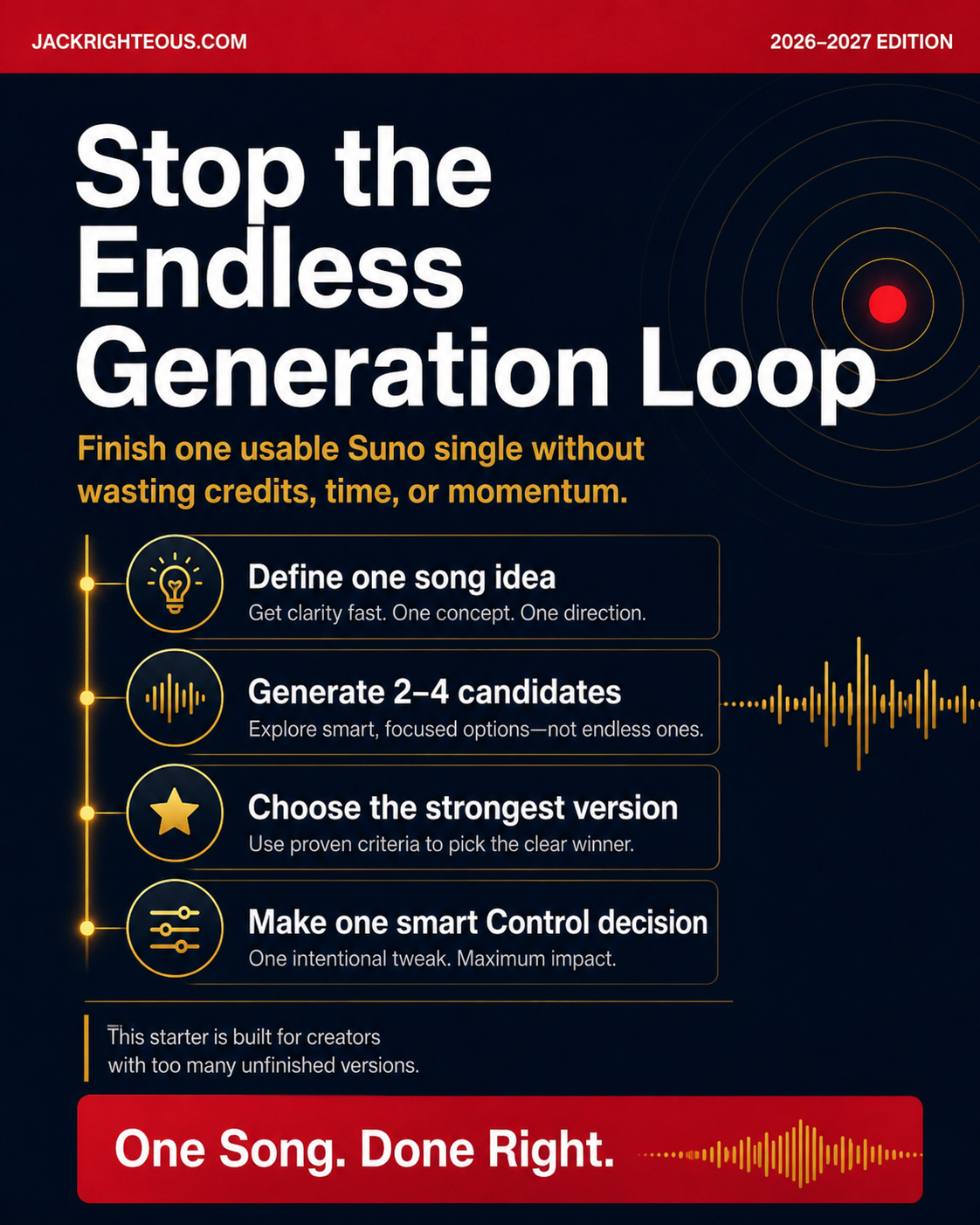
Master the Single gives you a clear stopping system. It helps you move one idea through a complete starter path: intent, creation, scoring, Control decision, sharing, and proof notes.
What this guide helps you do
- Define one clear song idea before you start generating.
- Build a first serious prompt with intent, emotion, vocal direction, structure, and boundaries.
- Generate a small batch of 2–4 candidates instead of burning credits in an endless search.
- Choose the strongest version using a simple three-listen test and scorecard.
- Make one smart Control decision: keep, crop, extend, replace, remaster, revise, or abandon.
- Package the song with a title, meaning, hook section, caption, backup notes, and proof record.
- Use Sound Notes to learn what should repeat in your next song.
The One-Song Map
This guide is built around a simple path that keeps each decision in the right place.
- Intent: decide what the single is supposed to do.
- Creation: prompt and generate a focused batch of candidates.
- Control: choose the right fix for the version you already have.
- Distribution: prepare a simple share-ready package.
- System Intelligence: capture what the song taught you.
What you get inside
- The One-Song Map for moving from idea to finished starter single.
- Intent Sheet to define purpose, listener, emotion, lane, and share value.
- Prompt Builder for creating a cleaner first serious prompt.
- Candidate Scorecard for choosing the strongest branch without guessing.
- Control Decision Guide for deciding whether to keep, extend, crop, replace, remaster, revise, or abandon.
- Share-Ready Package Checklist for title, meaning, hook section, caption, cover concept, and backup notes.
- 7-Day Single Sprint to turn the guide into action.
- One-Song Proof Record to capture plan status, lyric source, prompt, selected version, and final link or file.
Who this is for
- Suno beginners who can generate songs but struggle to finish one.
- Creators with too many unfinished versions sitting in their library.
- AI music users who need a simple decision system before deeper training.
- Content creators, solo artists, small brand builders, and message-driven creators testing one song idea.
- Creators preparing to move into deeper systems like Find Your Sound or Control Your Sound.
Who this is not for
- Anyone looking for a full album planning system.
- Anyone looking for advanced mixing, mastering, or full commercial distribution training.
- Anyone looking for legal, copyright, or platform-guarantee advice.
- Anyone trying to imitate named artists, copy protected work, or treat rights as automatic.
- Anyone looking for a full sonic branding, client packaging, or music business course.
Why this starter is different
This is not a giant prompt dump. It is not a full Suno mastery course. It is not a music business blueprint.
Master the Single is a focused starter sprint for one practical outcome: finish one usable AI-assisted single with intention, restraint, notes, and a clear next step.
What “finished” means in this starter
Your single is finished when you have:
- Selected one version instead of comparing endlessly.
- Made one Control decision with purpose.
- Packaged the song with a title, meaning, caption, hook section, and backup notes.
- Completed a proof record with lyric source, plan status, prompt, selected version, and final link or file.
- Captured what worked, what failed, and what your next song should explore.
Important accuracy note
It teaches a practical beginner workflow for better decisions around one song. Always confirm current Suno terms, plan access, rights language, and platform requirements before using AI-generated music commercially.
Common questions
Is this a full Suno course?
No. This is a focused starter sprint for one song. It helps you finish one usable single before moving into deeper training.
Does this teach advanced Studio editing?
No. Studio belongs in the deeper Control layer. This starter helps you make one clear Control decision without requiring Studio.
Is this about releasing music to streaming platforms?
No. This guide helps you create a simple share-ready package. Full commercial distribution belongs in deeper release training.
Do I need to be a musician?
No. This is written for creators who can generate music with Suno but need a clearer finishing process.
Where does this fit in the Jack Righteous ecosystem?
Start here when your main problem is finishing one song. Move into Find Your Sound when you need repeatable style identity. Move into Control Your Sound when your main problem is deeper refinement.
Start with one song.
Stop collecting unfinished versions. Use the sprint, choose the strongest branch, make one smart Control decision, and walk away with a song package you can understand, share, and learn from.
Digital product. No physical item will be shipped. Platform features, access, credits, and terms can change. This guide is educational and does not provide legal advice.
Couldn't load pickup availability
Share
Support & Order Help
Support & Order Help
If you have questions before or after purchase, contact info@jackrighteous.com.
Use this for:
- access issues
- order questions
- product delivery problems
- basic support related to your purchase
Please include the email used at checkout so support can help you faster.
Access & Delivery
Access & Delivery
This is a one-time digital purchase. No recurring fees.
You will receive digital access after purchase. For products delivered through your account, make sure you are logged in to the same customer account used at checkout.
No shipping is required for this product.
If access does not appear properly after purchase, contact info@jackrighteous.com for help.
Refunds & Returns
Refunds & Returns
Because this is a digital product, returns are not available once access or delivery has been provided.
If you experience a technical issue, access problem, or believe there was an error with your order, contact info@jackrighteous.com and we will review the issue.
Any approved exception will be handled at our discretion.