Beginner Creator Roadmap

Looking for a Sideline? Start With One Honest Idea.

You do not need to be famous, technical, young, or online all day to begin.

A creator is someone who turns an idea, skill, interest, experience, story, message, product, or problem into something useful that can be shared, tested, taught, sold, or built online.

Plain Meaning AI can help you start faster. Jack Righteous helps you choose the next right move.

Start with one idea. Shape it clearly. Test it honestly. Then decide whether it belongs in a song, article, product, book, page, service, newsletter, training path, or saved project file.

New here? Do not start by buying the biggest thing. Start by choosing one honest idea and finding out what kind of creator path it needs.

You may already have something worth building around.

01

You Have Experience

Work history, life lessons, faith, hobbies, music, family knowledge, skills, or interests can become useful starting material.

02

You Want a Sideline

You do not need to quit your job first. Start small, choose one idea, and test whether it deserves more time.

03

You Need Structure

AI can give you options fast. The real work is choosing what matters, what is useful, and what should happen next.

Your first idea does not need to become a full business today.

It may become one small proof you can shape, test, improve, and place in the right home.

Digital product Online service Training guide Newsletter Book or story Music project Template or tool Brand idea Article or page Simple offer

One idea. One hour per day. Four days. One clearer next move.

Use this when you have something worth testing but do not know whether it should become a product, page, song, book, service, campaign, or saved idea.

01 / Brand New

Brand New? Start With One Idea

If you are not sure what being a creator means yet, begin here. This route helps you take a rough idea, interest, project, or question and turn it into one clearer direction.

02 / Sideline Question

Still Asking What This Could Become?

A creator sideline can start as a guide, template, service, newsletter, book, song, lesson, resource, digital product, or simple online offer. The first job is to make one idea clear.

03 / Idea Still Rough

Idea Still Rough? Find Your Fame

Fame here does not mean celebrity. It means becoming easier to recognize for the right reason. Use this when your idea needs shape before it is ready for a test.

04 / Idea Clear Enough

Idea Clear Enough? Run the Sprint

If you can name the idea, test it before you build bigger. Give it one focused hour per day for four days and let the work show you the next move.

05 / Bigger Picture

Need the Big Picture? See the Roadmap

The Creator Roadmap shows how AI-assisted work can move from raw output into clearer direction, useful assets, owned platforms, and realistic next steps.

06 / If It Is Music

If It Is Music, Find Your Sound

If your idea is a song, artist direction, lyric, vocal concept, release plan, or Suno workflow, move into the music route after your idea is clear.

07 / Writing or Brand

If It Is Writing or Brand, Find Your Voice or Brand

If the idea needs a clearer message, article, book, product page, offer, audience, trust path, or website direction, use the roadmap to choose the next route.

The Future Belongs to the Builders

AI gave more people the chance to start. Critics will talk. Doubt will stall. But the creator who takes one idea, chooses the road, builds the record, and keeps moving is the one who gives the future something to remember.

Master Suno With Jack Righteous

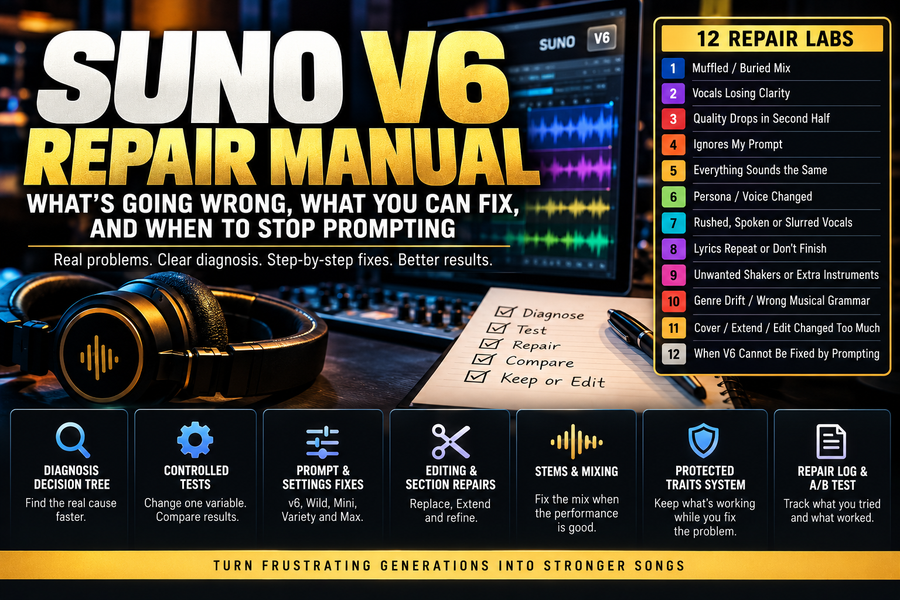
Popular Suno guides, prompt lessons, voice fixes, workflow tips, and creator training built to help you make better AI music with more control.

AI Music Release Command Center

Made the Track? Prepare the Release Before You Upload.

A serious AI-assisted release needs more than a finished audio file. Before you send it to platforms, check the song version, artwork, title, credits, AI-use notes, metadata, release date, listener path, and records.

Do not treat the upload form like a checkout screen. If the song is serious, prepare the release record first.

Release Readiness Flow

Prepare the release in the right order.

Pick the Blocker

What do you need to solve before the release?

Trying to keep costs low?

Compare free-entry options and tradeoffs.

Use this when budget matters and you need to understand free distribution, revenue share, platform limits, AI music terms, and what you may give up.

Worried about AI credits?

Build the release record.

Use this when you need a cleaner paper trail for AI involvement, lyrics, arrangement, prompt history, authorship, credits, platform notes, and final files.

Need platform readiness?

DistroKid is the door, not the final judge.

Use this if you need to understand how Spotify, Apple Music, Deezer, YouTube, TikTok, Instagram, Facebook, and other platforms may treat AI-assisted releases after delivery.

Release acting weird?

Diagnose platform friction.

Use this if the song is delayed, missing from one platform, blocked during upload, or behaving differently across DSPs and social libraries.

Documentation and Trust

Do not release without a paper trail.

For AI-assisted music, keep records of your lyrics, edits, prompts, arrangement choices, vocal direction, artwork notes, final files, platform notes, release dates, links, and upload decisions. This does not guarantee approval, ownership, income, playlisting, or platform acceptance. It gives your project a cleaner record.

After Release

The upload is not the finish line.

Once the song is live, connect it to a release page, listener next step, AI Music Hub, newsletter path, and larger creator system. A streaming link can help people listen. A release path helps them understand what to do next.

Larger Release System

Need the larger release system?

If one guide is not enough, move into the broader Jack Righteous AI music system. Use the AI Music Hub for the full map, The Righteous Beat for updates, and Complete Access when you want the wider training route, paid tools, downloads, and written consultation where listed.

AI Music Distribution Is Changing Fast

Six new guides for creators using Suno, DistroKid, TuneCore, BandLab, Shopify, and AI-assisted workflows to release smarter, protect their catalog, and build beyond the upload

AI Music Creator Consulting

You Made the Music. Now Build the Creator System Around It.

AI can help you create songs, demos, voice assets, stories, and release ideas. Jack Righteous helps you turn that work into clearer sound direction, stronger production decisions, release readiness, promotion assets, documentation, and industry-facing preparation.

This is not about making more random songs. It is about preparing the music, the records, the release path, the promotion plan, and the next conversation.

Name the problem before you produce, release, promote, or pitch.

More songs do not automatically create a stronger artist, brand, catalog, or opportunity. The next move should match the real blocker: sound direction, production quality, lyrics, vocals, structure, release readiness, promotion path, documentation, or industry-facing presentation.

Creator Readiness Path

Move from AI output to serious creator assets.

Choose the Blocker

What part of the creator system needs work?

Pick the route that matches the serious blocker. The right next move may be production, release readiness, promotion, documentation, or presentation.

I need release and promotion readiness.

Prepare the rollout before you post everywhere.

Use this when the song is close to release and needs a listener path, distribution plan, promotion assets, platform roles, and a reason for people to follow the next step.

Training and Consulting Path

When free guides are not enough, choose the route that matches the serious blocker.

The free routes help you diagnose the next step. The paid routes help you build with more structure. Core Path 1 is the focused AI music foundation. Complete Access is the wider Jack Righteous route when the project needs training, VIP Plus/PDF layer, eligible tools, downloads, and written consultation where listed.

Tools When Ready

The consultant path comes first. The tool comes after the creative problem is clear.

Use Suno when the job is song creation, demos, hooks, variations, sound direction, and music development. Use ElevenLabs when the project needs voice, narration, dialogue, character audio, sound effects, or audio storytelling assets.

Some tool links are affiliate, invite, or referral links and may support JackRighteous.com. Use a tool only when it fits the creative problem and release plan. Tool offers, credits, usage rights, commercial rules, pricing, and features can change. Confirm the current terms before signing up or using generated content commercially.

Industry-Facing Readiness

Prepare before the bigger conversation.

Self-production, self-distribution, and self-promotion can take you a long way. But if you want future conversations with collaborators, media, labels, agencies, managers, support partners, or buyers to be taken seriously, your work needs more than a link. It needs clear sound direction, organized assets, release records, promotion paths, proof of effort, and a specific next ask.

This does not promise label access, agency access, deals, income, streams, playlisting, platform acceptance, ownership, or guaranteed outcomes. It prepares the creator and the project for better conversations.

Best Next Move

Do not just make more. Build the system around what you made.

The better the creator system, the easier the next decision becomes. Start with the real blocker, choose the right road, improve the work, package the assets, prepare the release path, and build toward the next serious conversation.

Training That Helps You Build

These final lessons are not about sitting in class. They are here to help you take the idea you started, make the next decision, and keep moving with more focus, support, and structure.

Find Your Brand: Own the Platform

Build the home base around what you made.

Sound makes the work. Voice explains the work. Brand gives the work a home. Once your ideas, music, writing, products, guides, services, or training paths are in motion, the next question is simple: where do people go, what do they understand, and how do they take the next step?

Your domain, brand structure, Shopify store, product pages, email path, and support level turn scattered creator work into a clearer business home.

Do not chase more attention before your home base is clear. Start with the brand, the domain, the offer path, and the right level of support.

Choose the Business Problem

Choose the business problem in front of you.

You do not need every route at once. Choose the next business layer your creator work needs now.

Find Your Brand

Turn scattered work into a clearer brand home.

Use this when your ideas, content, music, products, or services need a stronger website purpose, visitor path, trust foundation, offer structure, and owned-platform blueprint.

Own the Domain

Give your work one place people can trust.

Use this when your work is spread across social media, AI tools, streaming links, file folders, and disconnected pages. The goal is one home where people understand who you are, what you offer, and what to do next.

Build With Shopify

Use Shopify as the storefront and checkout layer.

Use this when your creator work is ready for product pages, digital downloads, bundles, customer access, training access, merch, service entry points, or a clearer checkout path.

Shopify is the storefront tool when the offer path is clear. It is not a shortcut around brand, trust, product clarity, or customer experience.

Choose Support Level

Pick the route that matches how much help you need.

Start free if you are still learning. Choose Find Your Brand if the business home is the blocker. Move into VIP Plus or Complete Access when the project needs broader training, deeper access, or wider support where listed.

Work With Jack

Bring the project when the next move needs review.

Use this when you need creator support, project review, brand structure, Shopify or page-flow help, commercial review, or a clearer next step before bigger conversations with collaborators, buyers, media, support partners, labels, or agencies.

Support Levels

Choose the support level that matches the work in front of you.

Not every creator needs the same next step. Free guidance, paid training, VIP Plus, Complete Access, and direct support each serve a different stage.

02

Find Your Brand

Use this when your creator work needs a clearer brand foundation, owned-platform plan, visitor journey, product page direction, offer structure, and Shopify-ready thinking.

03

Core Path 3 Full Access

Use this when Find Your Brand is not just a single lesson for you. This is the broader Brand route for creators who need more structure around platform, offers, trust, and customer path.

04

VIP Plus

Use VIP Plus when you need the broader paid training layer beyond free resources and single paths. Under the current positioning, do not treat VIP Plus as the written consultation layer unless a specific offer page says so.

06

Work With Jack

Use this when the project needs a more direct review path, creator support, Shopify/page-flow help, commercial review, or a defined next step. Commercial inquiries should use the commercial route, not the creator-support route.

Shopify Tool Route

Shopify gives the home base a checkout.

Shopify can serve as the owned storefront and checkout layer when your creator work is ready for product pages, digital downloads, bundles, customer access, training access, service entry points, or a clearer offer path.

Some platform or tool links may be affiliate links and may support JackRighteous.com. Use Shopify only when it fits your product, access, checkout, or owned-platform plan. Pricing, trials, terms, apps, and features can change. Confirm the current offer before signing up.

Business Conversations

Creator support and commercial inquiries are not the same request.

If you need help with your creator project, brand structure, Shopify page flow, product path, or support level, use the Work With Jack Righteous route. If you represent a company, platform, tool, sponsor, agency, media request, affiliate offer, licensing opportunity, or business proposal, use the Commercial Inquiries route.

Owning a domain, using Shopify, buying training, joining VIP Plus, choosing Complete Access, or requesting support does not guarantee revenue, sales, traffic, platform approval, partnerships, label interest, agency interest, deals, acceptance, or business outcomes.

The goal is to make the work clearer, easier to explain, easier to organize, easier to sell where appropriate, and easier to bring into the next serious conversation.

Best Next Move

Choose the support level before you chase more attention.

If the work has no home, build the brand. If the offer has no path, shape the customer journey. If the product is ready, prepare the storefront. If the project is bigger than one guide, choose the support level that matches the next serious decision.

Turn Ideas Into Published Work

AI writing guides, story development, content strategy, and practical prompts for creators building something real.

Find Your Voice: AI Writing With a Human Point of View

AI can help you write. Your voice decides what it means.

Find Your Voice helps creators turn rough ideas into clear written assets: lyrics, books, stories, articles, product pages, campaign messages, brand language, newsletters, and public-facing content. AI can draft and organize, but the creator still decides the meaning, reader, message, tone, and final words.

Do not polish weak writing. Fix the message first.

A better prompt cannot always save an unclear message. Start with what you mean, who it is for, why it matters, and what the reader or listener should understand next.

Choose the Writing Lane

What kind of voice does the work need?

Lyrics, books, brands, campaigns, pages, and newsletters all need different writing decisions. Start with the lane that matches the asset in front of you.

Authors and Story Builders

A self-published book is not only a file.

A book, children’s story, guide, devotional, workbook, or story-world needs voice, reader promise, structure, author notes, story logic, revision discipline, and a path after publication.

Tools When Ready

Use Lyrics Lab after the message is clear enough to shape.

Lyrics Lab is one writing tool inside the wider Voice system. It is best for hooks, verses, choruses, rewrites, Suno-ready structure, and emotional direction after you know what the song needs to say.

Paid Writing and Support Ladder

Choose the writing support level that fits the problem.

Free guides help you diagnose the writing problem. Paid paths help you build with more structure. Complete Access and Work With Jack are for wider creator-system needs where listed.

03

Core Path 2 Full Access

Use this when the Voice route needs deeper structure across writing, books, scripts, content, product pages, and public explanation.

04

VIP Plus

Broader paid training layer across Sound, Voice, Brand, and connected AI creator workflows. No written consultation unless a specific offer page says so.

05

Complete Access

Widest Jack Righteous route where broader training, eligible tools/downloads, content upgrades, and written consultation may be included where listed.

06

Work With Jack

Use when the writing problem affects the larger creator system and needs review, structure, or direction.

AI can help draft, organize, revise, and test wording. It does not replace the creator’s judgment, research, fact-checking, editing, publishing responsibility, or final decision.

Writing support, AI tools, paid training, VIP Plus, Complete Access, or creator support do not guarantee book sales, publishing success, campaign results, brand growth, traffic, audience growth, platform approval, income, or business outcomes.

Create What You Love. Build What Lasts.

A practical JR training series for turning AI-made ideas into focused work, useful assets, and something worth building around.

Real Stories Behind the System

The Work Behind the System.

JackRighteous.com is built from real creative work, real creator stories, and real training problems. These examples show how music, writing, message, platform, and purpose can be shaped over time.

The system is easier to understand when you can see it in motion. Some stories begin with music. Some begin with writing, lived experience, faith, a book, a message, or a creative idea that needs structure. These examples show the mission behind the training.
Real Work

The mission begins with the sound.

The Jack Righteous story is being introduced through a faith-rooted musical concept project connected to the larger creative universe behind the brand.

  • Music used as a story signal
  • Faith-rooted creative direction
  • Build-in-public example of the system in motion
What this shows: AI music can introduce a universe, not just become a standalone track.
Follow the Concept Playlist Read the Story Behind the Sound

Robert Evans: a story still moving forward.

Robert Evans’ spotlight shows how a creator story can keep developing through writing, reflection, spiritual message-building, and ongoing creative work later in life.

  • Writing and life story
  • Spiritual message development
  • Long-form creator documentation
What this shows: a creator story can be shaped through writing, memory, faith, message, and follow-through.
Read Robert’s Main Profile Read His Own Words

Dr. Sage Adessi: practical words for heavy days.

Dr. Sage’s spotlight shows a different kind of creator work: message clarity, emotional resilience, and practical language for people who need more than shallow encouragement.

  • Resilience-focused creator message
  • Practical communication around heavy subjects
  • Creator spotlight example beyond AI music
What this shows: creator work is not only music or products. Sometimes the work is language that helps people handle real situations.
Read Dr. Sage’s Spotlight View Creator Spotlights

Creator Spotlight Archive

Explore the stories behind the work.

Creator Spotlights collect the people, projects, messages, and lessons behind the system. Use this archive when you want to see how different creators are building, reflecting, and turning their work into something clearer.

Follow the public build

Use Jack Righteous Updates to follow new resources, training changes, creator story notes, music progress, and system updates.

Stay close to the work

Use The Righteous Beat if you want updates about new free resources, story progress, training changes, and community direction.

Stories show the mission. Updates show what is being built next. Continue into the Creator Spotlight archive for real examples, or follow Jack Righteous Updates for new resources, training changes, and project notes.
View Creator Spotlights Follow Updates

These are creator-development examples, not income claims or overnight-success stories. They show how music, writing, message, platform, and purpose can be shaped over time.

VIP Plus / Complete Access

Choose the access level that fits your next step.

If you need more than one guide, one training page, or one focused product, this is where the Jack Righteous system opens wider. VIP Plus gives you broader paid training access. Complete Access goes further with eligible tools, downloads, and written consultation where listed.

Paid-access training value. Not part of the Free Starter Guide Pack. Not part of the free guide library.

VIP Plus Training Access
Complete Access Training + Tools
This is the paid access layer for creators who need more structure. The Expanded VIP Training Library supports AI music, Suno workflows, AI voice, audio execution, visual brand systems, writing, message clarity, and creator direction. It is included with VIP Plus and included as a supporting add-on inside Complete Access.
Paid Access

VIP Plus

Broader Training

For creators who want the expanded training library without the full tools package.

VIP Plus is for creators who want broader Jack Righteous training access across AI music, voice, audio projects, visual systems, writing, and creator direction.

VIP Plus includes:
  • Broader paid training access
  • Expanded VIP Training Library
  • Training across multiple creator lanes
  • A lower-cost paid access route before Complete Access
Clear limit: VIP Plus does not include the separate paid tool-download package or written consultation.

Expanded VIP Training Library

The extra training is organized by category, not dumped on you all at once.

Use the VIP Starter Packages collection to review examples of the extra training. The homepage keeps this simple so you can understand the value before digging into the full product details.

01

AI Music & Suno Workflows

Training for sound direction, Suno workflows, prompt repair, single and album planning, song structure, monetization readiness, and faith/message-based music creation.

02

AI Voice & Audio Execution

Training for AI voice, audio proof-building, ElevenLabs starter work, rough idea development, proof logs, and choosing the right next road.

03

Visual Brand & Asset Systems

Training for turning AI-generated images and visual assets into a clearer brand signal, product visuals, posts, campaigns, and owned-brand systems.

04

Writing, Message & Creator Direction

Training support for Find Your Voice, message clarity, lyric thinking, creator communication, and the larger direction behind the work.

Simple Choice

Choose VIP Plus for training access. Choose Complete Access for the widest route.

VIP Plus is the better fit when you mainly want broader training access and the Expanded VIP Training Library. Complete Access is the better fit when you want expanded training plus eligible tools/downloads and written consultation where listed.

AI Music Creation: Step-by-Step Processes

exploring more than Suno AI

Proof + Tools

The tools support the work. They do not replace the system.

JackRighteous.com is built from tested creator workflows: AI music, writing, visual systems, product pages, training paths, public updates, and real support questions. The tools below are part of the workflow, but they are not the strategy.

Use tools after you know the next real blocker. A tool can help you create, publish, edit, distribute, or organize the work. It cannot decide what you are building, why it matters, who it is for, or where it should live.
Proof First
Tool Guidance

Tools are matched to the job

The tool stack is not presented as a magic solution. Each tool has a job: build a store, generate proof, polish audio, distribute music, create voiceover, edit content, or close a skill gap.

  • Clear use case for each tool
  • No pressure to click every link
  • Better fit between project stage and tool choice
Proof point: the system asks what problem the tool solves before recommending the tool.
Buyer Clarity

Support before confusion turns into refunds

The FAQ, contact page, VIP explanation, and Complete Access explanation help visitors understand what they are buying, where to start, and how to get help.

  • Free versus paid clarity
  • VIP Plus versus Complete Access clarity
  • Support routes for access, downloads, and questions
Proof point: buyer confidence comes from clear expectations, not bigger promises.

Creator Tool Stack

Pick the tool that solves the next real problem.

These tools support the creator workflow. They do not replace the training path, the strategy, or the work. Offers, trials, credits, discounts, and platform terms can change, so always confirm details on the tool’s landing page before signing up.

Create Sound

Suno

Use Suno when you need to turn a song idea, mood, lyric, prompt, or sound direction into an AI music proof.

  • Best for AI song creation
  • Useful for prompt and sound testing
  • Works better with clear direction
Use when: the idea still needs a first musical proof.
Polish Audio

BandLab

Use BandLab when your song, demo, or vocal idea needs cleanup, testing, mastering, collaboration, or pre-release polish.

  • Best for polishing proof
  • Useful before distribution
  • Good for comparing versions
Use when: the song exists, but the release decision is not ready yet.
Distribute Music

DistroKid

Use DistroKid when your song is finished, metadata is ready, artwork is prepared, and you want official distribution.

  • Best for finished music
  • Useful for release distribution
  • Not the place to fix an unfinished song
Use when: the track is ready enough to publish.
Short-Form Content

CapCut

Use CapCut when one song, guide, lesson, product, article, or proof piece needs a short-form video, teaser, captions, or mobile-friendly edit.

  • Best for Shorts, Reels, and TikTok edits
  • Useful for turning proof into content
  • Good when visual presentation is the blocker
Use when: the proof needs to become visible.
Paid Testing

TikTok Creator Tools

Use TikTok tools only when your message, content angle, or audience signal is clear enough to test with more reach.

  • Best after you know the angle
  • Useful for paid discovery tests
  • Not a substitute for message clarity
Use when: you already know what signal you want people to notice.
Skill Gap

Udemy

Use Udemy when the next blocker is a specific skill: Shopify setup, editing, marketing, writing, AI workflow, or operations.

  • Best for one missing skill
  • Useful for practical learning
  • Do not collect courses forever
Use when: one skill gap is slowing the project down.

Trust Rule

Do not click every tool link.

Pick the tool that solves the next real problem. If you need a store, look at Shopify. If you need a first song proof, look at Suno. If you need polish, look at BandLab. If you need distribution, look at DistroKid. If you need voiceover, look at ElevenLabs. If you need short-form edits, look at CapCut. If you need one skill, look at Udemy.

Affiliate disclosure: I may earn a commission, referral credit, or platform reward when you use some links in this section. This supports JackRighteous.com at no extra cost to you. Offers, incentives, trials, discounts, and platform terms can change, so confirm current details on the landing page before signing up.

Simple rule: training gives the route. Tools help execute the next step. Do not confuse a tool signup with a creator strategy.

Support + Clarity

Need help choosing, accessing, or understanding the route?

Use these support paths when the next problem is not a tool choice. This keeps questions about access, downloads, VIP Plus, Complete Access, and support from getting mixed into the creator tool stack.

Contact

Use the right support route

Use contact when you need help with order access, downloads, member access, collaboration questions, affiliate questions, or a site issue that the FAQ does not answer.

Training gives the route. Tools help with execution. Support keeps the path clear. Review the tool stack when a tool is the blocker, check the FAQ when access or buying is unclear, or apply to promote Jack Righteous if you understand the system and can recommend it responsibly.
Review Tool Stack Check FAQ Apply to Promote JR

No fake testimonials. No income guarantees. No overnight-success claims. This section shows the work, the structure, the tools, and the support paths used to help creators make better decisions with AI-assisted work.

Work / Partner / Contribute

Need more than training? Choose the right contact path.

Most visitors should start with the free resources, Core Path training, VIP Plus, or Complete Access. But if you already know you need direct help, a business conversation, or a creator-submission route, use the right page below.

This section is for qualified next steps, not general browsing. Use services when you need direct help applying the system. Use partnerships when there is a business, media, sponsorship, tool, affiliate, or platform opportunity. Use submissions when you want to contribute useful creator-focused writing.
Right Path
For Brands + Platforms

Partner With Jack Righteous

Use this route for business features, sponsored opportunities, affiliate conversations, tool/platform reviews, interviews, expert requests, commercial collaboration, and media opportunities.

  • Business features and sponsorship conversations
  • Tool, platform, affiliate, and product-fit opportunities
  • Media, interview, expert, and brand requests
Best fit: your request connects to creator tools, AI music, AI writing, ecommerce, owned-platform building, or practical creator education.
For Contributors

Write For JackRighteous.com

Use this route if you have a useful creator story, workflow, tool lesson, AI music insight, AI writing process, visual asset lesson, or practical creator article that fits the site.

  • Creator stories and practical lessons
  • AI music, writing, visuals, ecommerce, and tool workflows
  • Grounded submissions that help readers make better decisions
Best fit: your submission is useful, specific, honest, and connected to the Jack Righteous creator audience.

Before You Reach Out

The strongest requests are clear about the actual next step.

This helps keep the homepage clean and the support path useful. You do not need perfect wording, but you should know which lane your request belongs in before sending it.

1 Need help applying the system?

Use the services page when you need direct support with a creator project, page, prompt, offer, workflow, or decision.

2 Have a business opportunity?

Use the partner page when the request involves business features, sponsorship, tools, reviews, media, affiliate, or commercial fit.

3 Want to contribute useful writing?

Use the submissions page when you have a practical article, story, workflow, or creator insight that helps the audience.

4 Still unsure?

Use the FAQ or contact page first. Do not buy again or send the wrong request if the issue is access, downloads, or support.

Choose Carefully

The right page gets the right kind of response.

Services, partnerships, and submissions are different lanes. Choose the one that fits what you actually need now.

View Services Partner With JR

Service, partnership, and submission pages are not guarantees of acceptance, response type, approval, publication, or outcome. They exist to route the right request to the right place.

Fresh From Jack Righteous

Follow the Work as It Moves

The Jack Righteous system is active, evolving, and built in public. Follow the updates, listen to the music, and join The Righteous Beat to stay connected as new articles, training notes, product updates, releases, and creator workflows go live.

New here? Start with the hero above. Returning visitor? Check what changed, then rerun the free training path with your latest idea, song, project, or brand question.

Spotify Artist Profile

Follow Jack Righteous on Spotify

Music is part of the Jack Righteous creator system in motion. Follow the artist profile to hear current releases, future updates, and the sound being developed through the Find Your Sound practice.

Open Artist Profile on Spotify

Built With Suno

Follow the First Album Taking Shape

Righteous Man Cometh is the first Jack Righteous album project currently being developed through Suno. It is part music release, part creative case study, and part live example of how AI-made sound can become a clearer artist direction, story world, and training path.

The featured Spotify release comes from this developing project. Listen to the current version, follow the album work on Suno, or use the invite link if you are new to Suno and want to start creating.

New to AI music? Start with the free guide first. Already creating? Use this album project as a live example of turning AI output into a more intentional sound.

Featured Release

Listen on Spotify

This release connects back to the Righteous Man Cometh album project and the Find Your Sound training direction.

(25)